
Share in seconds
Question Banks
Share and Collaborate
Share Your Jeopardy Game — Collaborate, Embed, and Distribute
Share Your Jeopardy Game — Collaborate, Embed, and Distribute
Get your game in front of players quickly via link, embed, or classroom tools. Collaborate with colleagues on games and Question Banks.
What Are Sharing & Collaboration Features?
What Are Sharing & Collaboration Features?
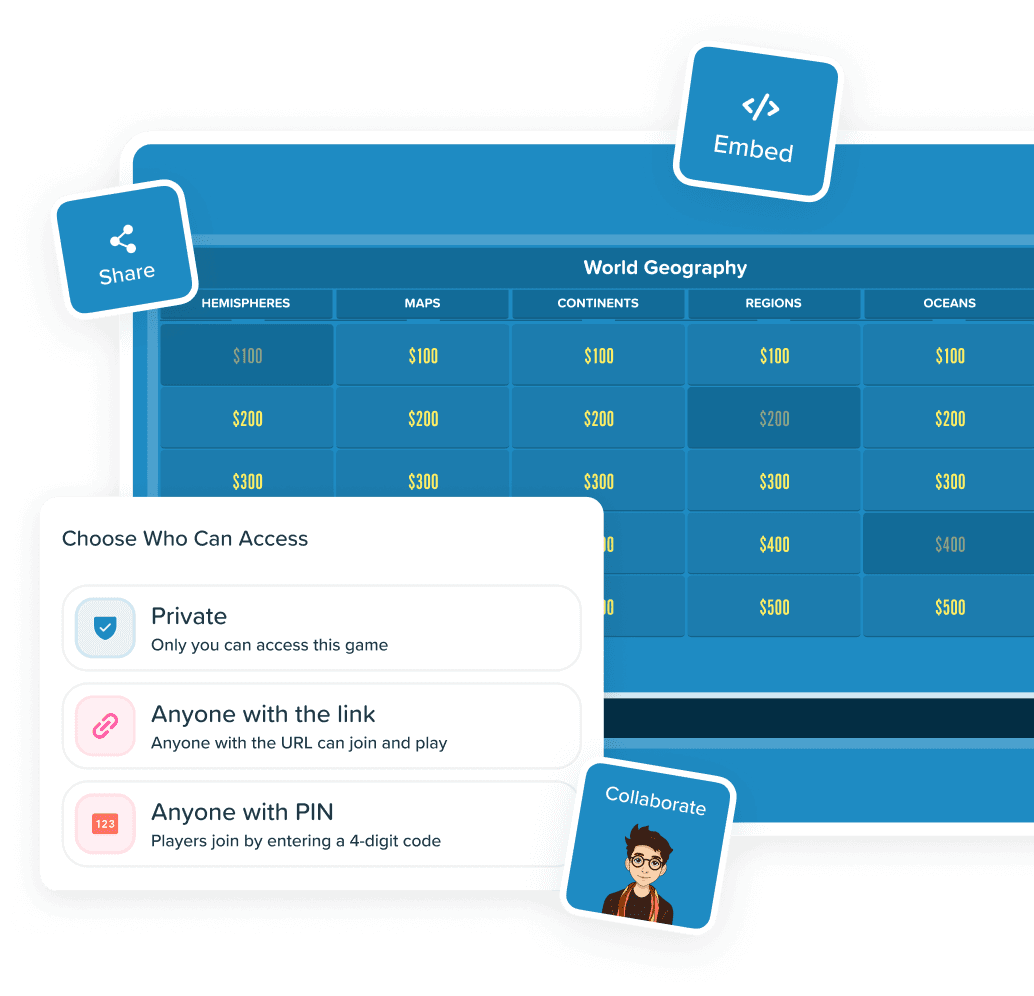
Sharing & Collaboration in Factile covers distributing games to players and collaborating with other Factile users. Share a Jeopardy or trivia game via link, post to Google Classroom or Remind, or embed on a website — players join instantly with no account required. Control access with three levels: Private, Anyone with Link, or Anyone with Share PIN. To collaborate, share games and Question Banks with fellow teachers, trainers, or co-hosts as Viewers or Editors so your team builds content together-one of many reasons Factile is the most complete Jeopardy Game Maker available.
Powerful Sharing & Collaboration Features
Powerful Sharing & Collaboration Features

Share Links
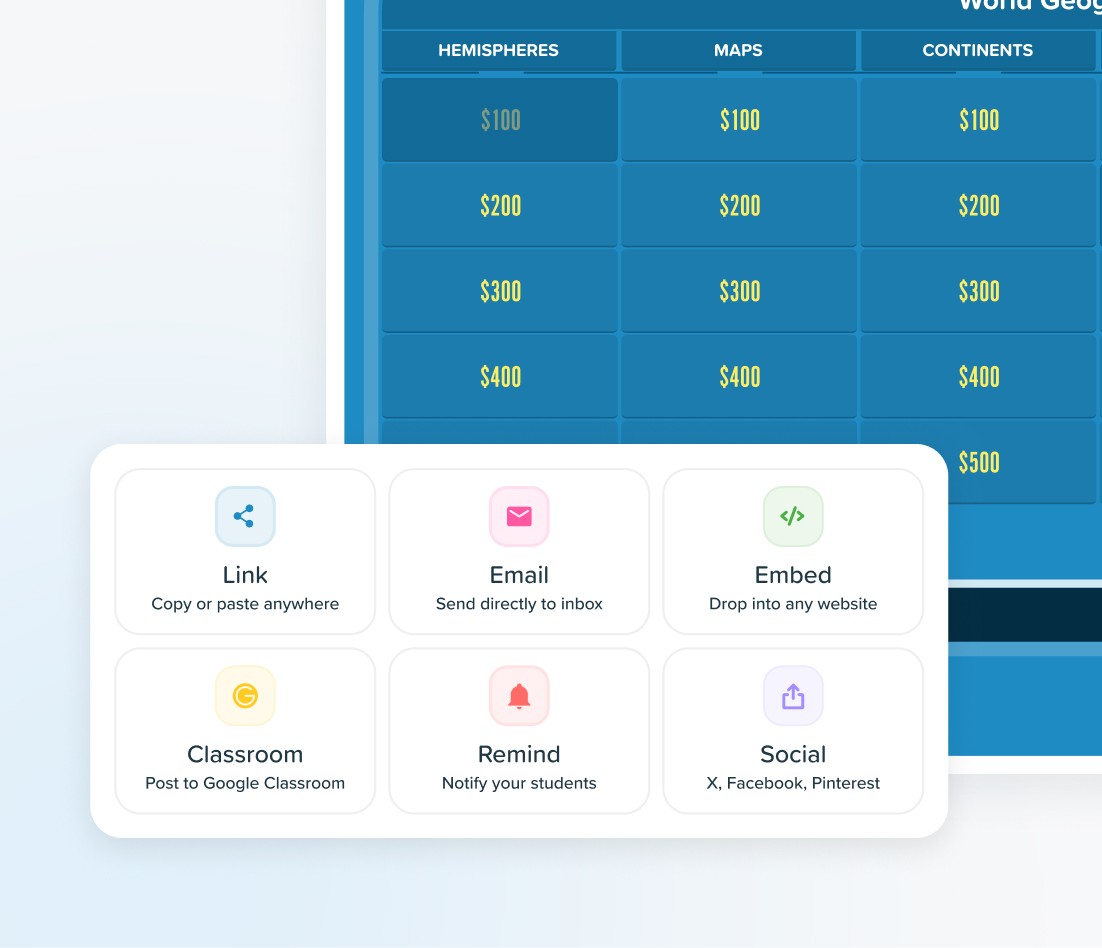
Generate a link and paste it into Zoom, Teams, email, or any chat. Players click and play — no login required.
Share Links
Generate a link and paste it into Zoom, Teams, email, or any chat. Players click and play — no login required.
Share Links
Generate a link and paste it into Zoom, Teams, email, or any chat. Players click and play — no login required.

Embed on Any Website
Drop embed code into your school or company site. Four formats — Factile, Flashcards, Choice, or Memory — so visitors play without leaving the page.
Embed on Any Website
Drop embed code into your school or company site. Four formats — Factile, Flashcards, Choice, or Memory — so visitors play without leaving the page.
Embed on Any Website
Drop embed code into your school or company site. Four formats — Factile, Flashcards, Choice, or Memory — so visitors play without leaving the page.

Google Classroom & Remind
Easily assign games to students. No extra steps-students open and play.
Google Classroom & Remind
Easily assign games to students. No extra steps-students open and play.
Google Classroom & Remind
Easily assign games to students. No extra steps-students open and play.

Games & Question Banks
Collaborate on your games and Question Banks with colleagues as Viewers or Editors.
Games & Question Banks
Collaborate on your games and Question Banks with colleagues as Viewers or Editors.
Games & Question Banks
Collaborate on your games and Question Banks with colleagues as Viewers or Editors.

Share and Collaborate
Collaborate with colleagues as Viewers or Editors. Editors modify content directly, so your team stays aligned without duplicating work.
Share and Collaborate
Collaborate with colleagues as Viewers or Editors. Editors modify content directly, so your team stays aligned without duplicating work.
Share and Collaborate
Collaborate with colleagues as Viewers or Editors. Editors modify content directly, so your team stays aligned without duplicating work.

Social Media Sharing
Promote games on X, Facebook, and Pinterest to reach players beyond your organization.
Social Media Sharing
Promote games on X, Facebook, and Pinterest to reach players beyond your organization.
Social Media Sharing
Promote games on X, Facebook, and Pinterest to reach players beyond your organization.
Factile vs Other Jeopardy Game Makers
Factile vs Other Jeopardy Game Makers
See why Factile has the most sharing and collaboration options for Jeopardy-style games
| Features | Factile | Other Jeopardy Makers |
|---|---|---|
| Sharing & Distribution | Multiple channelsLink, Email, Embed, Google Classroom, Remind | LimitedLink only |
| Embed Formats | 4 embed formatsFactile, Flashcards, Choice, Memory | BasicSingle format or none |
| Collaboration | Games + Question BanksCollaborate as Viewer or Editor "Shared with Me", dashboard | NoneNo collaboration features |
| LMS Integration | Native integrationGoogle Classroom, Remind | ManualCopy/paste links only |
| Share Settings | Full controlColors, backgrounds, tiles, text, fonts Optional mascots & sounds | NoneNo control over shared appearance |
| Features | Factile | Other Jeopardy Makers |
|---|---|---|
| Sharing & Distribution | Multiple channelsLink, Email, Embed, Google Classroom, Remind | LimitedLink only |
| Embed Formats | 4 embed formatsFactile, Flashcards, Choice, Memory | BasicSingle format or none |
| Collaboration | Games + Question BanksCollaborate as Viewer or Editor "Shared with Me", dashboard | NoneNo collaboration features |
| LMS Integration | Native integrationGoogle Classroom, Remind | ManualCopy/paste links only |
| Share Settings | Full controlColors, backgrounds, tiles, text, fonts Optional mascots & sounds | NoneNo control over shared appearance |
| Features | Factile | Other Jeopardy Makers |
|---|---|---|
| Sharing & Distribution | Multiple channelsLink, Email, Embed, Google Classroom, Remind | LimitedLink only |
| Embed Formats | 4 embed formatsFactile, Flashcards, Choice, Memory | BasicSingle format or none |
| Collaboration | Games + Question BanksCollaborate as Viewer or Editor "Shared with Me", dashboard | NoneNo collaboration features |
| LMS Integration | Native integrationGoogle Classroom, Remind | ManualCopy/paste links only |
| Share Settings | Full controlColors, backgrounds, tiles, text, fonts Optional mascots & sounds | NoneNo control over shared appearance |
Why Hosts Love Factile’s Sharing & Collaboration
Why Hosts Love Factile’s Sharing & Collaboration


Reach Every Player
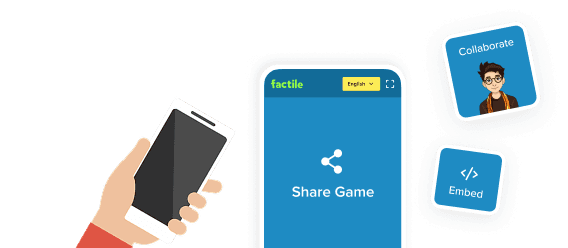
Whether students use Google Classroom, Remind, or a class website, meet them where they are. Share a link, post to your LMS, or embed the game— players join without accounts or app downloads.
Reach Every Player
Whether students use Google Classroom, Remind, or a class website, meet them where they are. Share a link, post to your LMS, or embed the game— players join without accounts or app downloads.
Reach Every Player
Whether students use Google Classroom, Remind, or a class website, meet them where they are. Share a link, post to your LMS, or embed the game— players join without accounts or app downloads.


Build Content Together
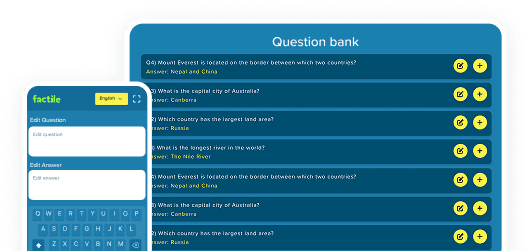
Share games and Question Banks with colleagues as Viewers or Editors. Your team builds and refines materials in one place instead of recreating content independently.
Build Content Together
Share games and Question Banks with colleagues as Viewers or Editors. Your team builds and refines materials in one place instead of recreating content independently.
Build Content Together
Share games and Question Banks with colleagues as Viewers or Editors. Your team builds and refines materials in one place instead of recreating content independently.


Control Exactly What You Share
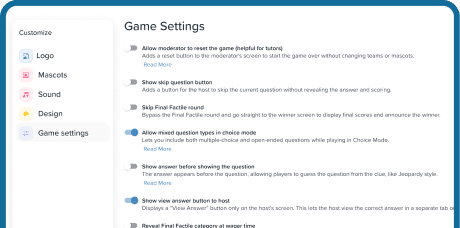
Three privacy levels control who sees your games. Choose which settings transfer-colors, backgrounds, fonts, mascots, and sounds-so your branding stays intact or recipients apply their own.
Control Exactly What You Share
Three privacy levels control who sees your games. Choose which settings transfer-colors, backgrounds, fonts, mascots, and sounds-so your branding stays intact or recipients apply their own.
Control Exactly What You Share
Three privacy levels control who sees your games. Choose which settings transfer-colors, backgrounds, fonts, mascots, and sounds-so your branding stays intact or recipients apply their own.
How to Share a Jeopardy Game
How to Share a Jeopardy Game
01
Choose a Game
Pick the game you want to share from My Games.

02

Click Share
Use the share icon from the dashboard, editor, or Play screen.
03

Share or Collaborate
Distribute via link, embed, or LMS—or invite a colleague as Viewer or Editor.
04

Set Access & Send
Choose your privacy level and which settings transfer, then send.
What Users Say About Sharing & Collaboration
What Users Say About Sharing & Collaboration
"I love this website, I've thoroughly enjoyed it in the past 6 years as a teacher."
Sarah M.
Teacher
"The math equation support is a lifesaver. I teach AP Calculus and I can finally put real formulas in the questions."
Jason R.
Teacher
"I love this website, I've thoroughly enjoyed it in the past 6 years as a teacher."
Sarah M.
Teacher
"The math equation support is a lifesaver. I teach AP Calculus and I can finally put real formulas in the questions."
Jason R.
Teacher
"I love this website, I've thoroughly enjoyed it in the past 6 years as a teacher."
Sarah M.
Teacher
"The math equation support is a lifesaver. I teach AP Calculus and I can finally put real formulas in the questions."
Jason R.
Teacher
Frequently Asked Questions
Frequently Asked Questions
How do I share a Jeopardy game with students?
1. Open your My Games dashboard and find the game. 2. Click the Share icon and choose a method: copy a link, post to Google Classroom, or send via Remind. 3. Set the access level (Private, Anyone with Link, or Anyone with Share PIN). 4. Send the link or post the game. Players join with no account needed.
What are Factile’s sharing and collaboration features?
Sharing lets you distribute games via links, embeds, Google Classroom, and Remind. Collaboration lets you share games and Question Banks with other Factile users as Viewers or Editors so teams build content together.
Does Factile offer more sharing options than other Jeopardy game makers?
Yes, because Factile offers multiple distribution channels, four embed formats, native Google Classroom and Remind integration, Viewer and Editor collaboration on games and Question Banks, and control over shared settings—whereas most competitors support only basic link sharing.
Can I share Factile games with other teachers?
Yes. Share games and Question Banks with colleagues as Viewers or Editors. Editors can add, modify, and delete content. Shared items appear in “Shared with Me.” Collaboration requires a Home/School Plus or Business plan.
Can I control what settings are shared?
Yes. Share Settings lets you control Game Design options (background image, colors, board, tiles, dollar amounts, text), Display Settings (fonts, case, notifications), and whether to include custom mascots and sounds.
Can I embed a Factile game on my website?
Yes. Factile generates embed code for any website. Choose from four formats: Factile, Flashcards, Choice, or Memory. Visitors play directly on your page.
How do I share a Jeopardy game with students?
1. Open your My Games dashboard and find the game. 2. Click the Share icon and choose a method: copy a link, post to Google Classroom, or send via Remind. 3. Set the access level (Private, Anyone with Link, or Anyone with Share PIN). 4. Send the link or post the game. Players join with no account needed.
What are Factile’s sharing and collaboration features?
Sharing lets you distribute games via links, embeds, Google Classroom, and Remind. Collaboration lets you share games and Question Banks with other Factile users as Viewers or Editors so teams build content together.
Does Factile offer more sharing options than other Jeopardy game makers?
Yes, because Factile offers multiple distribution channels, four embed formats, native Google Classroom and Remind integration, Viewer and Editor collaboration on games and Question Banks, and control over shared settings—whereas most competitors support only basic link sharing.
Can I share Factile games with other teachers?
Yes. Share games and Question Banks with colleagues as Viewers or Editors. Editors can add, modify, and delete content. Shared items appear in “Shared with Me.” Collaboration requires a Home/School Plus or Business plan.
Can I control what settings are shared?
Yes. Share Settings lets you control Game Design options (background image, colors, board, tiles, dollar amounts, text), Display Settings (fonts, case, notifications), and whether to include custom mascots and sounds.
Can I embed a Factile game on my website?
Yes. Factile generates embed code for any website. Choose from four formats: Factile, Flashcards, Choice, or Memory. Visitors play directly on your page.


Share in seconds

No player accounts needed

Google Classroom & Remind

7-day money-back guarantee
Ready to Share Your Jeopardy Game?
Distribute games anywhere. Collaborate with colleagues. Control who sees what.
Share in seconds
No player accounts needed
Google Classroom & Remind
7-day money-back guarantee
Ready to Share Your Jeopardy Game?
Distribute games anywhere. Collaborate with colleagues. Control who sees what.
Share in seconds
No player accounts needed
Google Classroom & Remind
7-day money-back guarantee
Ready to Share Your Jeopardy Game?
Distribute games anywhere. Collaborate with colleagues. Control who sees what.