
Multi-Member Teams
Works on any device
Display Customization
Complete Host Controls for Running Jeopardy Games
Complete Host Controls for Running Jeopardy Games
Host a Jeopardy game like a pro. Manage teams, customize displays, control scoring, and run multi-member competitions — all from one dashboard.
What Are Host Controls?
What Are Host Controls?
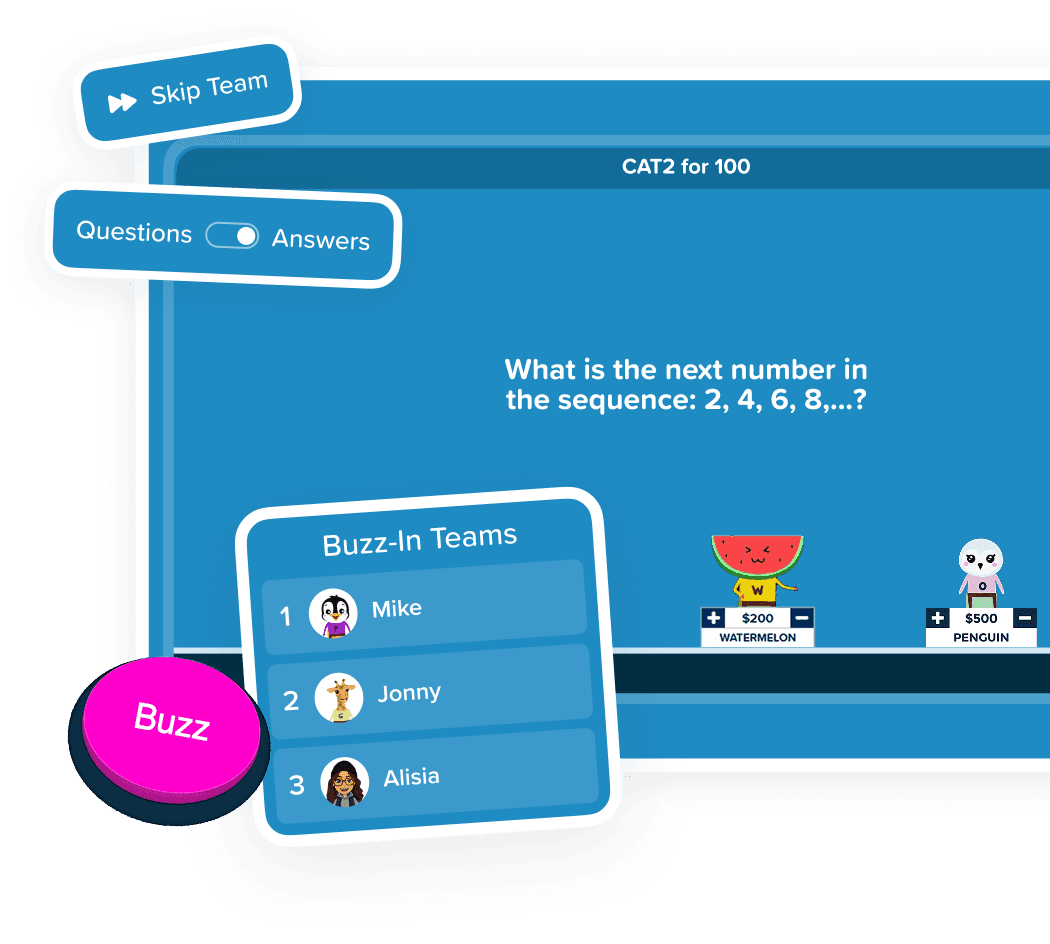
Host Controls is Factile's comprehensive game management system for running professional Jeopardy-style games. Manage up to 100 teams, customize every display setting, adjust scores on the fly, and coordinate multi-member team play. You can do all of this while the game continues to run smoothly in the background.
Smart Host Features
Smart Host Features

Saved Teams Collection
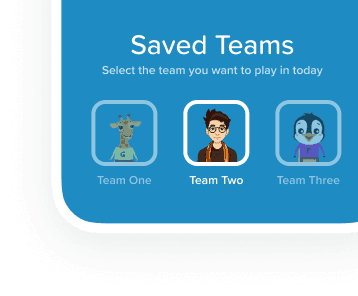
Save your team lineups and load them for any game. Skip setup for recurring classes, leagues, or weekly game nights.
Saved Teams Collection
Save your team lineups and load them for any game. Skip setup for recurring classes, leagues, or weekly game nights.
Saved Teams Collection
Save your team lineups and load them for any game. Skip setup for recurring classes, leagues, or weekly game nights.

Display Customization
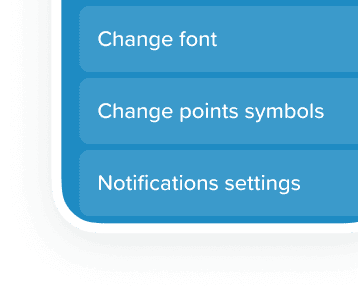
Control fonts, point symbols, case display, and custom notifications. Make every game board uniquely yours.
Display Customization
Control fonts, point symbols, case display, and custom notifications. Make every game board uniquely yours.
Display Customization
Control fonts, point symbols, case display, and custom notifications. Make every game board uniquely yours.

Flexible Scoring
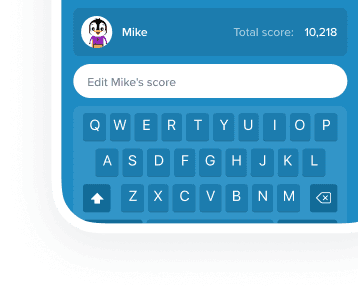
Automatic scorekeeping with manual adjustment options. Enable positive-scoring mode to encourage participation without penalties.
Flexible Scoring
Automatic scorekeeping with manual adjustment options. Enable positive-scoring mode to encourage participation without penalties.
Flexible Scoring
Automatic scorekeeping with manual adjustment options. Enable positive-scoring mode to encourage participation without penalties.

Multi-Member Teams
Up to 5 players per team, any of whom can buzz in and answer. Auto-assign or pre-assign team members. Manage rosters mid-game.

Multi-Member Teams
Up to 5 players per team, any of whom can buzz in and answer. Auto-assign or pre-assign team members. Manage rosters mid-game.
Multi-Member Teams
Up to 5 players per team, any of whom can buzz in and answer. Auto-assign or pre-assign team members. Manage rosters mid-game.

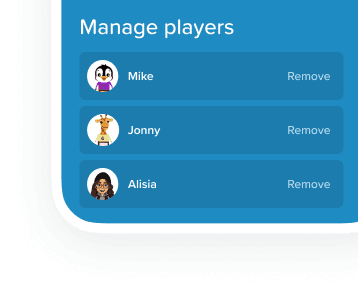
Mid-Game Management
Add or remove teams, reconnect players, and modify team rosters — all without stopping play.
Mid-Game Management
Add or remove teams, reconnect players, and modify team rosters — all without stopping play.
Mid-Game Management
Add or remove teams, reconnect players, and modify team rosters — all without stopping play.

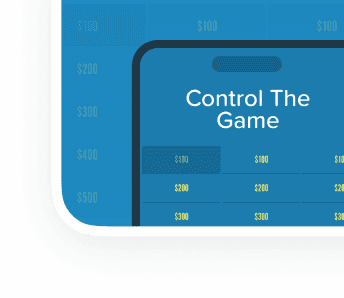
Separate Control Window
Manage teams from a different device or separate window while the game board displays on the main screen.
Separate Control Window
Manage teams from a different device or separate window while the game board displays on the main screen.
Separate Control Window
Manage teams from a different device or separate window while the game board displays on the main screen.
Factile vs Other Jeopardy Game Makers
Factile vs Other Jeopardy Game Makers
See why Factile gives hosts the most control over their Jeopardy-style games
| Features | Factile | Other Jeopardy Makers |
|---|---|---|
| Team Management | Saved team collectionsPre-configure groups and reuse across games. Add, remove, and edit teams mid-game | BasicManual setup each time, no saved teams |
| Display Customization | Fully customizableFonts, point symbols, case display, custom notifications, row-by-row points | LimitedFixed layouts, few display options |
| Scoring Controls | Automatic + manualAuto-scorekeeping with manual adjustments. Positive-only mode available | BasicAuto-scorekeeping only, no positive mode |
| Multi-Member Teams | Up to 5 players / teamAny member can buzz-in and answer, Roster management | NoneSingle player per team only |
| Mid-Game Controls | Full controlAdd, remove, or edit teams, reconnect players, promote to captain during play | LimitedMust restart for team changes |
| Separate Management | Optional multi-device or multi-windowManage teams from separate window or device while game runs | NoneSingle screen only |
| Features | Factile | Other Jeopardy Makers |
|---|---|---|
| Team Management | Saved team collectionsPre-configure groups and reuse across games. Add, remove, and edit teams mid-game | BasicManual setup each time, no saved teams |
| Display Customization | Fully customizableFonts, point symbols, case display, custom notifications, row-by-row points | LimitedFixed layouts, few display options |
| Scoring Controls | Automatic + manualAuto-scorekeeping with manual adjustments. Positive-only mode available | BasicAuto-scorekeeping only, no positive mode |
| Multi-Member Teams | Up to 5 players / teamAny member can buzz-in and answer, Roster management | NoneSingle player per team only |
| Mid-Game Controls | Full controlAdd, remove, or edit teams, reconnect players, promote to captain during play | LimitedMust restart for team changes |
| Separate Management | Optional multi-device or multi-windowManage teams from separate window or device while game runs | NoneSingle screen only |
| Features | Factile | Other Jeopardy Makers |
|---|---|---|
| Team Management | Saved team collectionsPre-configure groups and reuse across games. Add, remove, and edit teams mid-game | BasicManual setup each time, no saved teams |
| Display Customization | Fully customizableFonts, point symbols, case display, custom notifications, row-by-row points | LimitedFixed layouts, few display options |
| Scoring Controls | Automatic + manualAuto-scorekeeping with manual adjustments. Positive-only mode available | BasicAuto-scorekeeping only, no positive mode |
| Multi-Member Teams | Up to 5 players / teamAny member can buzz-in and answer, Roster management | NoneSingle player per team only |
| Mid-Game Controls | Full controlAdd, remove, or edit teams, reconnect players, promote to captain during play | LimitedMust restart for team changes |
| Separate Management | Optional multi-device or multi-windowManage teams from separate window or device while game runs | NoneSingle screen only |
Why Hosts Love Factile’s Game Controls
Why Hosts Love Factile’s Game Controls


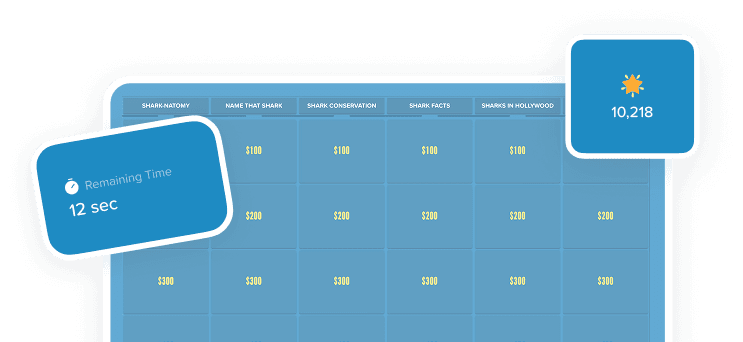
Run Games Like a Pro
Everything you need to host polished, professional-feeling games is built right in. No scrambling between apps or manual scorekeeping-Factile handles the details so you can focus on engaging your audience.
Run Games Like a Pro
Everything you need to host polished, professional-feeling games is built right in. No scrambling between apps or manual scorekeeping-Factile handles the details so you can focus on engaging your audience.
Run Games Like a Pro
Everything you need to host polished, professional-feeling games is built right in. No scrambling between apps or manual scorekeeping-Factile handles the details so you can focus on engaging your audience.


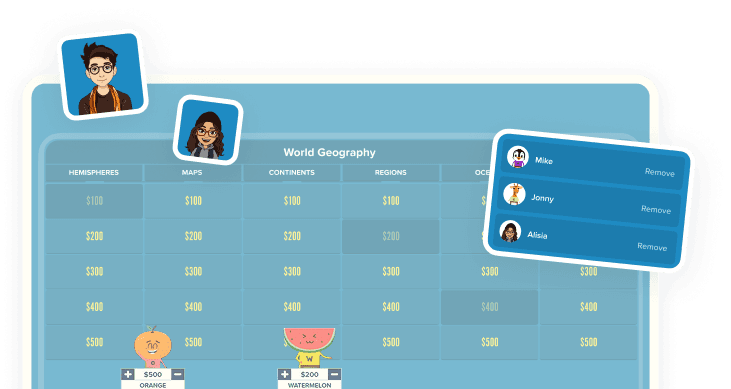
Adapt on the Fly
Players joining late? Someone disconnected? Need to adjust a score? Handle any situation without pausing the game or losing momentum.
Adapt on the Fly
Players joining late? Someone disconnected? Need to adjust a score? Handle any situation without pausing the game or losing momentum.
Adapt on the Fly
Players joining late? Someone disconnected? Need to adjust a score? Handle any situation without pausing the game or losing momentum.


Scale to Any Group Size
Whether you're running a classroom of 30 or a company event with 100+ participants, the same intuitive controls work seamlessly at every scale.

Scale to Any Group Size
Whether you're running a classroom of 30 or a company event with 100+ participants, the same intuitive controls work seamlessly at every scale.
Scale to Any Group Size
Whether you're running a classroom of 30 or a company event with 100+ participants, the same intuitive controls work seamlessly at every scale.
How to Host a Jeopardy Game
How to Host a Jeopardy Game
01
Configure Your Game
Set display options, scoring rules, and custom points

02

Set Up Teams
Use saved collections or enable multi-member team mode
03

Manage Live
Add players, adjust scores, reconnect teams mid-game
04

Track Results
View final scores and export data
What Users Say About Host Control Features
What Users Say About Host Control Features
"Being able to override a score when someone disputes an answer is so helpful. One click and it's fixed. No drama."
Sandra L.
Educator
"I love that I can skip questions, adjust scores manually, and control the pace. It makes hosting feel effortless."
Andrea R.
Corporate user
"Being able to override a score when someone disputes an answer is so helpful. One click and it's fixed. No drama."
Sandra L.
Educator
"I love that I can skip questions, adjust scores manually, and control the pace. It makes hosting feel effortless."
Andrea R.
Corporate user
"Being able to override a score when someone disputes an answer is so helpful. One click and it's fixed. No drama."
Sandra L.
Educator
"I love that I can skip questions, adjust scores manually, and control the pace. It makes hosting feel effortless."
Andrea R.
Corporate user
Frequently Asked Questions
Frequently Asked Questions
How do I host a Jeopardy game with multiple teams?
1. Create your game in Factile and click "Play." 2. Select Buzzer Mode and choose your team settings. 3. Share the PIN or QR code with players. 4. Use the host controls to manage teams, score answers, and adjust settings during play.
What are Host Controls in Factile?
Host Controls is Factile’s built-in feature set for running Jeopardy-style games. It includes team management, display customization, scoring controls, and real-time player management—everything you need to host professional games from one dashboard.
Is Factile better than other Jeopardy game makers for hosting?
Yes, because Factile offers saved team collections, multi-member teams with up to 5 players each, mid-game roster management, and separate device control—whereas other Jeopardy game makers require manual setup each time and limit you to single-player teams.
Can I manage teams from a separate device?
Business Pro users can open the Team Management page in a separate browser window or on a different device. This lets you monitor teams on one screen while the game board displays on another, which is ideal for events with a dedicated coordinator.
What if a player loses connection during the game?
Players reconnect automatically in most cases. As the host, you can generate a reconnect PIN for any player directly from the Team Management page. This allows them to rejoin their team instantly without disrupting the game flow.
Can I adjust scores after they're awarded?
Yes. Factile automatically scores correct and incorrect answers for you. However, you can still manually adjust any team's score using the plus and minus buttons at any time during the game.
How do I host a Jeopardy game with multiple teams?
1. Create your game in Factile and click "Play." 2. Select Buzzer Mode and choose your team settings. 3. Share the PIN or QR code with players. 4. Use the host controls to manage teams, score answers, and adjust settings during play.
What are Host Controls in Factile?
Host Controls is Factile’s built-in feature set for running Jeopardy-style games. It includes team management, display customization, scoring controls, and real-time player management—everything you need to host professional games from one dashboard.
Is Factile better than other Jeopardy game makers for hosting?
Yes, because Factile offers saved team collections, multi-member teams with up to 5 players each, mid-game roster management, and separate device control—whereas other Jeopardy game makers require manual setup each time and limit you to single-player teams.
Can I manage teams from a separate device?
Business Pro users can open the Team Management page in a separate browser window or on a different device. This lets you monitor teams on one screen while the game board displays on another, which is ideal for events with a dedicated coordinator.
What if a player loses connection during the game?
Players reconnect automatically in most cases. As the host, you can generate a reconnect PIN for any player directly from the Team Management page. This allows them to rejoin their team instantly without disrupting the game flow.
Can I adjust scores after they're awarded?
Yes. Factile automatically scores correct and incorrect answers for you. However, you can still manually adjust any team's score using the plus and minus buttons at any time during the game.


30-second setup

Works on any device

7-day money-back guarantee
Ready to Host Your Jeopardy Game?
Professional host controls that make every game run smoothly.
30-second setup
Works on any device
7-day money-back guarantee
Ready to Host Your Jeopardy Game?
Professional host controls that make every game run smoothly.
30-second setup
Works on any device
7-day money-back guarantee
Ready to Host Your Jeopardy Game?
Professional host controls that make every game run smoothly.